Widgets for Torque (OBD / Car)
Ian HawkinsMaps & Navigation
3.069.00 Reviews
- Version
- 2.2.8
- Installs
- 10.00K
- Age Rating
- Everyone
Screenshots
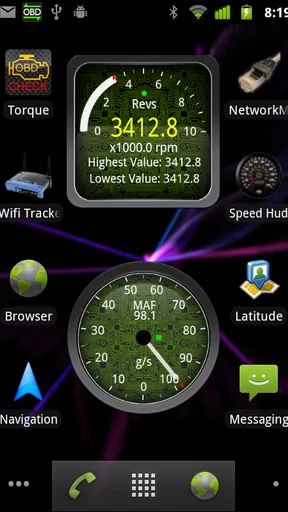
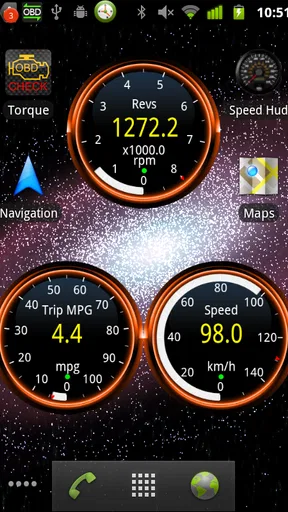
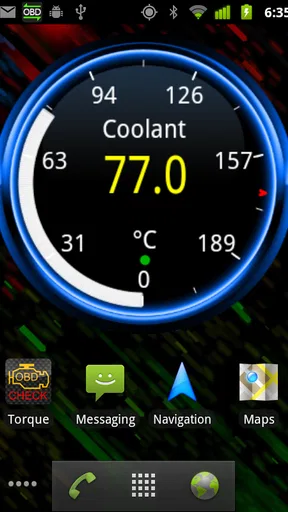
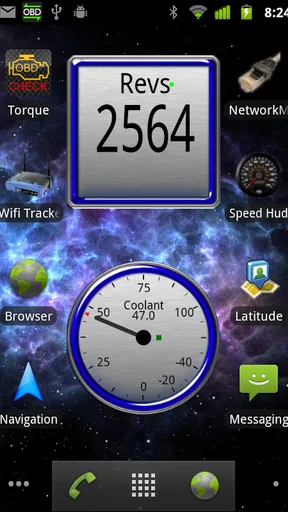
Our Review of Widgets for Torque (OBD / Car)
 Analysis by Appyee
I find Widgets for Torque most useful when I treat it as a small display for a Torque Pro setup I already rely on, rather than as a standalone car app. Its purpose is focused: it puts selected vehicle readings on an Android home screen. That can save a few taps when I want a quick glance, but it also means the value depends on having the right companion app and a working OBD2 connection in the first place.
Where a home-screen display fits into a normal drive
A widget is best for information I want to check briefly, not for replacing a full diagnostic session. Before setting off, I can decide which readings deserve space on the screen, then leave deeper investigation to Torque Pro. For instance, someone tracking engine temperature during a familiar commute may prefer that reading over a crowded dashboard of values they rarely use.
There is an important practical distinction here: showing a reading does not make it a diagnosis. A changing number can be useful context, but a driver should not try to troubleshoot or study a phone while moving. I would set up the layout while parked, glance only when it is safe, and let a passenger handle any closer monitoring on a trip.
The app is made by Ian Hawkins and sits in the Maps & Navigation part of the app world, although its day-to-day role is more about vehicle information than route planning. It has a 3.0 average from around 450 ratings, with more than 10,000 installs. That modest scale fits a focused companion tool: it is aimed at people who already know why they want Torque readings on their screen, not at every driver looking for turn-by-turn directions.
Choosing readings with a purpose
The tempting approach is to put every available value on a large widget. I would resist that. A screen full of small labels is harder to scan than one or two readings chosen for a specific reason. If I am watching a value during a particular drive, I would give it the most visible position and remove unrelated items until the task is over.
That makes the app more useful as a repeatable routine than as a permanent wall of gauges. One layout can suit everyday checks; another arrangement may make more sense when I am paying attention to a particular engine reading. The trade-off is that home-screen space is limited, and the most informative setup is not always the easiest one to read quickly.
Widgets for Torque costs $2.39, so I would think of it as a small paid add-on rather than a replacement for the main Torque experience. The age rating is Everyone, but that does not make its readings self-explanatory: people unfamiliar with vehicle data may need to learn what a displayed value means before relying on it. Its current version is 2.2.8, and it supports Android 4.1 and later, which gives it a broad OS floor without saying anything about how a particular phone handles widgets today.
What it does better than opening an app
The main convenience is reducing the distance between unlocking the phone and seeing a chosen reading. That is a genuine advantage over opening Torque Pro every time for a quick check. It is also different from navigation apps, which prioritize routes and traffic rather than a tailored view of OBD2 information. If my goal is to follow directions, I would use a navigation app; if my goal is a compact glance at car data, this add-on has a clearer purpose.
Still, a widget is not automatically the best choice for every situation. A full app screen is usually better when I need context, want to inspect several readings, or am diagnosing a problem. A widget is better when I already know which value I want and only need a quick view. Keeping that distinction in mind helps avoid expecting a small home-screen panel to do the work of a full diagnostic interface.
Who is likely to get value from it
I would recommend it mainly to existing Torque Pro users who have a specific reading they check often and want to make that check simpler. It is less compelling if I only occasionally connect to an OBD2 system, prefer all information inside one app, or do not already use Torque Pro. In those cases, adding a dedicated widget layer may create another setup step without changing how I actually use the car data.
My practical verdict is that this is a focused convenience, not an essential tool for every driver. I would install it when I can name the one or two readings I want on my home screen and have a stable Torque Pro workflow to support them. If I cannot answer that first question, I would start with Torque Pro itself and decide later whether a widget would save enough time to justify the extra purchase.
If you're a car enthusiast or just someone who loves keeping tabs on their vehicle's performance, you might want to check out Widgets for Torque (OBD / Car). This nifty app is an extension of the Torque Pro app, allowing you to create customizable home screen widgets that display real-time car data. Let's dive into what makes this app a must-have for your driving toolkit.
Unpacking the Features
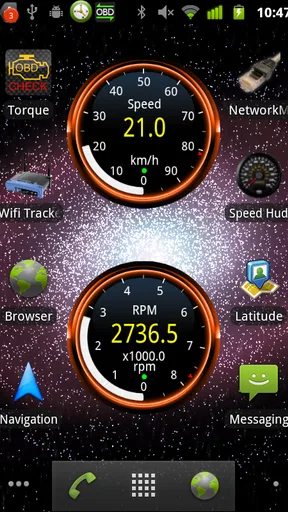
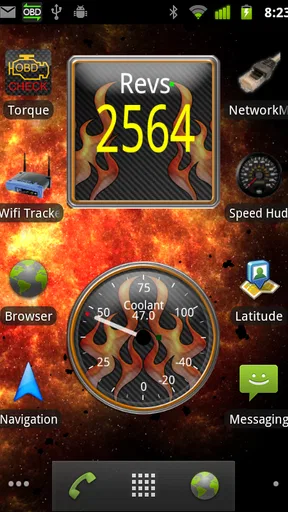
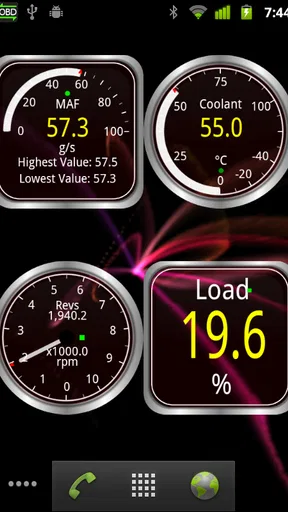
The first thing you'll notice about Widgets for Torque (OBD / Car) is how seamlessly it integrates with your existing Torque Pro setup. As long as you have the Torque Pro app installed and connected to your car's OBD2 system, you're good to go. The app allows you to create widgets that display a wide range of data, from speed and RPM to fuel efficiency and engine temperature.
The customization options are where this app really shines. You can tweak the widgets to display exactly the information you want, in the style you prefer. Want a digital speedometer on your home screen? Done. Prefer a fuel consumption graph? Easy peasy. This level of personalization means you can have the data you care about most just a tap away.
Getting Started
Setting up the app is surprisingly straightforward. After installing Widgets for Torque (OBD / Car), you simply choose which data points you want to display and select a widget size. The app supports various widget sizes, so whether you want a small, unobtrusive display or a larger, more detailed one, there's an option for you.
Once you've set up your widgets, you can place them anywhere on your home screen. The interface is intuitive, making it easy to rearrange or resize your widgets as needed. And because the widgets update in real-time, you'll always have the latest data at your fingertips.
Performance and User Experience
In terms of performance, the app is a breeze. It's lightweight and doesn't bog down your phone, which is a big plus if you're running multiple apps while driving. The widgets themselves are responsive and update quickly, so you're not left waiting for crucial data.
The design is sleek and modern, making the widgets not only functional but also visually appealing. It's clear that a lot of thought has gone into ensuring a smooth user experience, from the initial setup to daily use.
Why You Should Consider It
So, why should you consider adding Widgets for Torque (OBD / Car) to your app collection? If you're already using Torque Pro, it's a no-brainer. The ability to have real-time data displayed on your home screen is incredibly useful, especially for those who love to monitor their car's performance closely.
Moreover, the app's flexibility and ease of use mean that it's accessible to everyone, from tech-savvy individuals to those who might be less familiar with car diagnostics. The fact that it's customizable also means you're not stuck with a one-size-fits-all solution.
Final Thoughts
All in all, Widgets for Torque (OBD / Car) is a fantastic companion for Torque Pro users. It's user-friendly, customizable, and efficient, making it an excellent addition to any car enthusiast's digital toolkit. Whether you're looking to keep an eye on your vehicle's performance or just want some cool widgets on your home screen, this app delivers.
With its real-time updates and vast customization options, you'll find yourself wondering how you ever got by without it. So, if you're ready to take your driving experience to the next level, give Widgets for Torque (OBD / Car) a try. You won't be disappointed!
Verdict
Strengths of Widgets for Torque (OBD / Car)
- Customizable widgets enhance user experience.
- Real-time data display for vehicle diagnostics.
- Supports multiple OBD adapters seamlessly.
- User-friendly interface with intuitive controls.
- Regular updates ensure compatibility and features.
Limitations of Widgets for Torque (OBD / Car)
- Limited functionality without a compatible OBD device.
- Free version contains ads, which may distract.
- Some widgets require in-app purchases.
- Initial setup can be confusing for new users.
- Battery drain if used extensively on mobile devices.
Other Releases by Ian Hawkins
View All
Torque Pro (OBD 2 & Car)
Communication4.0
Similar Picks in This Category
View All
Uber - Request a ride
Uber Technologies, Inc.4.7


inDrive. Rides with fair fares
® SUOL INNOVATIONS LTD4.8

Yandex Go: Taxi Food Delivery
Mikromobilnost LLC Belgrade4.8

Bolt: Request a Ride
Bolt Technology4.8

Rapido: Bike-Taxi, Auto & Cabs
Rapido Bike Taxi4.8
Frequently Asked Questions
What is Widgets for Torque (OBD / Car) and how does it work?
Widgets for Torque is an app designed to provide additional functionality for the Torque OBD app, which is a popular tool for car diagnostics. By leveraging OBD-II technology, it allows users to monitor various vehicle parameters directly from their mobile device, using widgets that display real-time data like engine performance, fuel consumption, and error codes.
Is Widgets for Torque compatible with all vehicles?
Widgets for Torque works with any vehicle that supports OBD-II, which includes most cars manufactured after 1996. However, some features might vary depending on the vehicle's make and model, so it is advisable to check the specific compatibility of your car before purchasing any adapters or using the app extensively.
Do I need any additional hardware to use Widgets for Torque?
Yes, you will need an OBD-II adapter to connect your smartphone to your vehicle's onboard diagnostics system. These adapters are widely available and can connect via Bluetooth or Wi-Fi. Ensure that the adapter you choose is compatible with both your vehicle and your smartphone to avoid connectivity issues.
Can Widgets for Torque affect my vehicle's performance or warranty?
Using Widgets for Torque primarily involves reading data from your vehicle's diagnostics system and should not affect its performance or warranty. However, it's essential to use the app responsibly, as making any unauthorized changes to the vehicle's settings might have unintended consequences. Always consult your vehicle's warranty terms if you are concerned.
What are the key features of Widgets for Torque that enhance the Torque app experience?
Widgets for Torque offers a range of customizable widgets that allow users to monitor various vehicle parameters directly on their home screen. Key features include real-time data display, customizable dashboard layouts, and the ability to track multiple vehicles. These enhancements make it easier for users to access critical information quickly and efficiently.
